
ShopCalcs | software for the fabrication shop
Three web apps that carry a tank or pressure-vessel job from the quote to the cut file to a closed-out QC package, on one sign-in, one stock library and one drawing.
Three web apps that carry a tank or pressure-vessel job from the quote to the cut file to a closed-out QC package, on one sign-in, one stock library and one drawing.
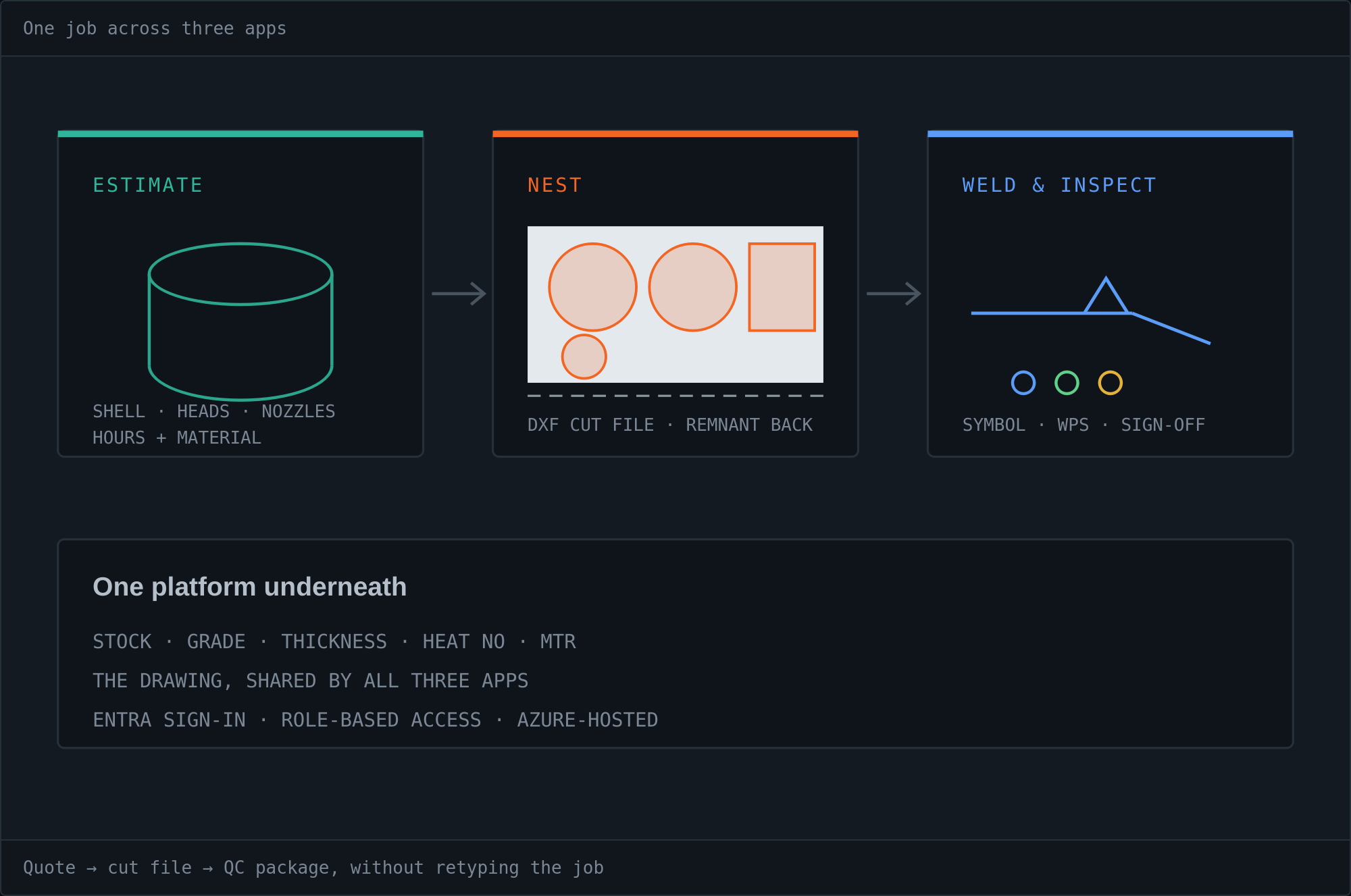
In many shops quoting still lives in a spreadsheet, nesting happens on a machine seat and weld procedure documentation lives in a folder. ShopCalcs gives each stage a tool built for it. Estimators build the take-off and quote from one model. Planners put usable offcuts back on the shelf. QC managers can show an auditor who signed off every joint.
Three apps, one subscription
Each app is a standalone tool that keeps its own records. Every subscription includes all three, so the estimator, the planner and the inspector each get the one they need..
Build the vessel from its shell, heads, nozzles and supports, and get the material take-off, labour hours and quoted cost out of the same model.
True-shape nesting for plate fabrication. Produces the DXF cutting file and PDF job drawing, and books the leftover offcuts back into stock.
Put the joints on the drawing. Every joint carries its symbol, procedure, approvals, signatures and history until the drawing closes out as a QC package.
ShopCalcs runs in the browser and on shop-floor tablets. Sign-in is Microsoft Entra only, so there are no separate passwords to issue and no credentials stored in the app. Access is enforced on the server by role, so an estimator, a welding engineer and an inspector each see the queue that belongs to them.
Microsoft Entra SSO Role-based access Azure-hostedNo desktop installNo stored credentialsAudit-stamped savesOffline sign-off on tabletCSV / JSON export
ACCEPTANCE CODES IN WELDMAP
Set the acceptance code the joint is being inspected to, and the QC package carries it through. Every joint keeps its own record, so a drawing closes out as evidence rather than as a folder that happens to match it.
AWS D1.1 AWS D1.2 AWS D1.6ASME Section IXAPI 1104ISO 3834ISO 5817
Every ShopCalcs subscription includes all three apps. Add seats as your shop grows, and pay for the seats you actually use.
Cloud, nothing to install
Hosting
All three apps run in the browser and on shop-floor tablets. No workstation install and no machine-locked seats.
Your stock, your procedures
Data library
One plate and stock library and one WPS library, shared by the apps that need them. Remnants return to the same shelf the plate came from.
Heat numbers and MTRs
Traceability
Grade, thickness, heat number and MTR reference follow the material from stock into the nest, onto the joint and into the QC package.
Separation of duties
Controls
Assigning a procedure and approving it are two different jobs, and changing what was approved sends the approval back to pending. A signed joint locks, editing means reverting the sign-off, and the revert is recorded too.
Documents the shop can hand over
Reports
PDF job drawings, DXF cut files and printable QC packages, plus CSV and JSON exports into your own systems.
Works when the wifi does not
Floor-ready
Viewing keeps working from cached data, and sign-offs are queued and replayed on reconnect with a banner confirming the sync.
Feature requests welcome
Customization
We take custom requests and build them into the application, rather than handing you a script to maintain yourself.

